Does Dark Mode Really Protect Your Eyes? What Eye Doctors Want You to Know
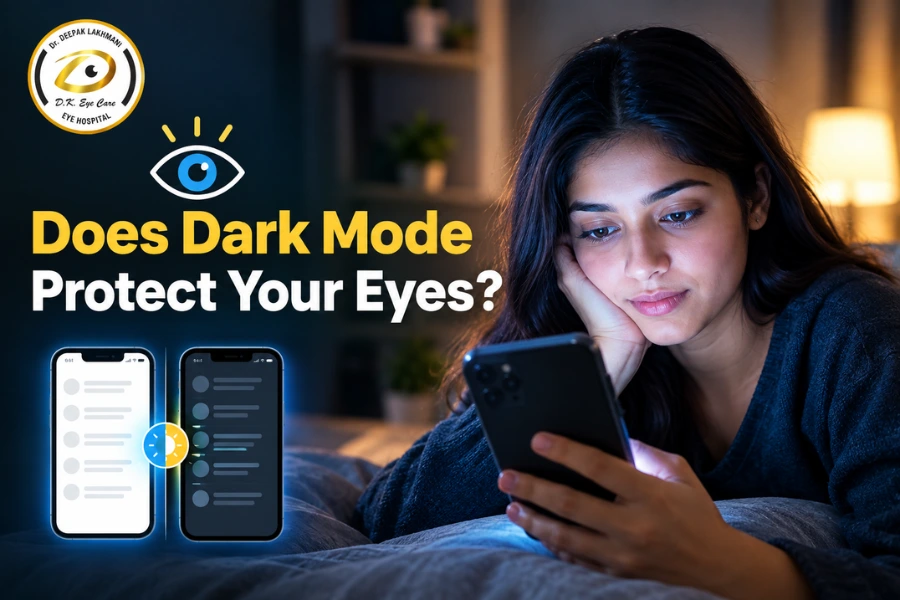
Dark Mode is everywhere. Smartphones, laptops, browsers and apps now offer a dark theme, but does switching from a white screen to a black one actually protect your eyes?
Short answer: Dark Mode may make screens more comfortable for some people, especially in dim rooms, but it has not been shown to protect the eyes from disease or permanent damage. It does not prevent or treat digital eye strain on its own. Screen breaks, sensible brightness, good lighting and regular eye checkups matter more.
Many people switch to Dark Mode after long days of screen work, hoping for less tired eyes. This article explains what Dark Mode does and does not do, how it relates to eye strain, glare, dry eyes and sleep, and which habits make a real difference. If your symptoms persist despite good habits, an eye hospital in Lucknow such as D.K. Eye Care Hospital can examine your eyes and find the cause.
What Is Dark Mode?
Dark Mode is a display setting that shows light-colored text and icons on a dark background, usually black or dark grey. Light Mode does the opposite: dark text on a white or light background.
Dark Mode became popular because:
- It looks modern and reduces the “glow” of a bright white screen in a dark room.
- It can save battery on some phones with OLED screens.
- Many people simply find it more pleasant.
Dark Mode is not the same as lowering screen brightness. Brightness controls how much light the screen emits overall. Dark Mode changes the color scheme. You can have a bright screen in Dark Mode or a dim screen in Light Mode, and both settings affect comfort in different ways.
Does Dark Mode Really Protect Your Eyes?
The evidence does not support the idea that Dark Mode protects your eyes from disease or lasting harm. Here is a more careful way to think about it.
- Comfort: Some people feel less glare and discomfort with Dark Mode, especially in low light.
- Protection: There is no strong evidence that Dark Mode prevents eye disease, protects vision in the long term, or reverses eye damage.
In short, eye comfort is not the same as eye protection from disease. A setting can make screens feel easier to look at without changing your risk of conditions such as glaucoma, retinal disease or cataract. Research on Dark Mode and eye strain is limited and mixed, and individual experience varies widely.
Can Dark Mode Reduce Digital Eye Strain?
Digital eye strain, also called computer vision syndrome, is a group of symptoms linked to prolonged screen use. These include tired eyes, dryness, headaches, blurry vision and neck or shoulder discomfort.
Many factors contribute:
- Glare and reflections from windows, lights or the screen itself
- Screen brightness that is too high or too low for the room
- Contrast between the screen and its surroundings
- Viewing environment, including room lighting and air quality
- Prolonged near work without breaks, which keeps the focusing muscles working continuously
- Reduced blinking, which leads to dryness
- Uncorrected vision problems, such as a small refractive error or reading glasses need
Because so many factors are involved, screen color alone rarely explains eye strain. Dark Mode may help if glare and excess brightness are your main triggers, particularly at night. If poor posture, long uninterrupted sessions or an outdated glasses prescription are the cause, Dark Mode will make little difference.
Dark Mode vs Light Mode: Which Is Better for Your Eyes?
Neither is better for everyone. The right choice depends on your surroundings, the task and your own comfort.
Factor | Dark Mode | Light Mode |
Bright environments | Can look dim; text may be harder to read against reflections | Usually easier to read in daylight or bright rooms |
Dark environments | Often more comfortable, with less glare | Can feel harsh and overly bright unless brightness is lowered |
Glare | May reduce glare from a large white surface | Can produce more glare, especially at high brightness |
Reading comfort | Some find long text harder to read on dark backgrounds | Often preferred for long-form reading |
Personal preference | Varies from person to person | Varies from person to person |
Eye strain | Helps some people, no effect for others | Comfortable for many, especially with proper brightness |
Try both for a week or two in your normal routine and notice which leaves your eyes less tired.
Does Dark Mode Reduce Blue Light Exposure?
Blue light is part of visible light and is emitted by the sun, LED lighting and digital screens. Sunlight is by far the largest source of blue light exposure in daily life.
Dark Mode changes how a screen looks, but it does not necessarily remove blue light. Screens still emit light, and brightness settings and the content displayed also matter. A dark theme with high brightness can still emit a significant amount of light.
Blue light has been discussed widely in relation to eye health, but the claims are often exaggerated. Current evidence does not show that ordinary screen use causes permanent eye damage. Evening light exposure, including from screens, may affect sleep in some people, so lowering brightness and limiting screen use before bed can be sensible. Night-time or warm-tone display settings may feel more comfortable, though evidence for major eye-health benefits is limited.
Can Dark Mode Help With Dry Eyes?
Dry-eye symptoms are common in people who use screens for long periods. The main reasons include:
- Reduced blinking: People blink noticeably less when concentrating on a screen, so the tear film evaporates faster.
- Prolonged near work: Long stretches of focused viewing can cause burning, grittiness and fatigue.
- Environment: Air conditioning, fans, heaters and dry indoor air can worsen dryness.
Dark Mode does not treat dry eye disease or increase tear production. If your eyes feel dry, gritty or burning regularly, work on blinking, breaks and room conditions, and have your eyes checked. Dry eye has several causes, and the right treatment depends on which one applies to you.
When Is Dark Mode Most Comfortable?
Dark Mode tends to work well when:
- You use your phone at night or in a dim bedroom.
- You work in low-light surroundings and a white screen feels too bright.
- You are sensitive to glare or find bright backgrounds uncomfortable.
- You simply prefer the look of dark backgrounds.
Even then, very low brightness combined with Dark Mode can backfire. When light levels are low, your pupils widen and text can appear blurrier, which can make reading harder and tire your eyes. The goal is a screen that matches the room, not the darkest possible setting.
When Might Light Mode Be More Comfortable?
Light Mode may suit you better when:
- You are outdoors or in bright daylight, where dark screens are harder to read because of reflections.
- You work in a well-lit office.
- You read long articles or documents. Many people find dark text on a light background easier for extended reading.
- You have astigmatism or find light text on a dark background slightly blurry or glowing.
Some people notice that white text on a black background seems to “bleed” or blur. If that happens to you, try a dark grey background instead of pure black, or switch back to Light Mode with lower brightness.
What Matters More Than Dark Mode for Eye Health?
Screen habits have a larger effect on comfort than theme choice. These steps are simple and well supported:
- Follow the 20-20-20 rule. Every 20 minutes, look at something at least 20 feet (about 6 meters) away for at least 20 seconds.
- Take regular screen breaks. Stand up, stretch and rest your eyes.
- Blink frequently. Consciously blink fully when you notice you are staring.
- Keep an appropriate viewing distance. For most computers, about an arm’s length works well.
- Match brightness to your surroundings. The screen should not be much brighter or darker than the room.
- Reduce glare. Position screens away from direct window light and overhead reflections.
- Position the screen comfortably. The top of the screen should be at or slightly below eye level.
- Maintain good room lighting. Avoid using a bright screen in a completely dark room.
- Avoid long uninterrupted sessions. Build breaks into your work routine.
- Get an eye examination if symptoms persist. Uncorrected vision or an underlying condition may be the cause.
Can Screen Time Actually Damage Your Eyes?
For most adults, screen use causes temporary discomfort rather than permanent damage. It helps to separate the different issues:
- Temporary digital eye strain: Tired, uncomfortable eyes that usually improve with rest and better habits.
- Dry-eye symptoms: Often linked to reduced blinking and environment. Persistent symptoms deserve a proper evaluation.
- Refractive errors: Needing glasses is not caused by screens in adults, but screen work can make a mild or uncorrected prescription more noticeable.
- Myopia (short-sightedness), especially in children: Research suggests that a lot of close-up activity and too little time outdoors are associated with a higher risk of myopia. The link is complex, and screens are one part of the picture.
- Structural eye disease: Conditions such as glaucoma, retinal problems and cataract are not currently understood to be caused by normal screen use.
The takeaway is not to fear screens, but to use them thoughtfully and keep up with regular eye checkups.
What About Children Using Dark Mode?
Dark Mode alone should not be relied on to protect a child’s eyesight. What matters more for children’s eye health is:
- Screen habits: Set sensible limits and encourage varied activities.
- Outdoor time: Spending time outdoors is associated with a lower risk of developing myopia.
- Regular breaks: Encourage children to look away from screens often.
- Viewing distance: Keep phones and tablets at a comfortable distance rather than close to the face.
- Eye examinations: Children often do not report vision problems. Symptoms like squinting, sitting very close to the TV, frequent eye rubbing or headaches should prompt a checkup.
- Myopia management: If myopia is already developing, an eye specialist can discuss strategies to slow its progression.
When Should You See an Eye Doctor?
Do not assume screen use is always the cause of eye symptoms. Book an eye examination if you have:
- Persistent blurry vision
- Frequent headaches associated with visual tasks
- Persistent eye pain
- Significant or lasting redness
- Persistent dryness, burning or watering
- Double vision
- Sudden changes in vision
- Flashes of light or new floaters
- Symptoms that continue even after you improve your screen habits
Sudden vision changes, flashes of light, a curtain-like shadow or severe eye pain need prompt medical attention.
At D.K. Eye Care Hospital, an eye hospital in Lucknow, patients can get a professional eye evaluation to find out whether their symptoms come from a refractive error, dry eye, digital eye strain or something else that needs treatment. An ophthalmologist can then advise on the right next steps for you.
Practical Screen Settings for More Comfortable Viewing
Use this checklist to make screen use easier on your eyes:
- Adjust brightness so the screen roughly matches the light in the room.
- Use an appropriate text size so you are not squinting or leaning in.
- Reduce glare with screen positioning, blinds or an anti-glare screen if needed.
- Maintain comfortable contrast. Avoid extremes such as very dim text on a dark background.
- Keep the screen clean. Smudges and dust add to glare and reduce clarity.
- Position the screen properly, about an arm’s length away and slightly below eye level.
- Use Dark Mode if it feels more comfortable, and switch back if it does not.
- Take regular breaks using the 20-20-20 rule.
Conclusion
Dark Mode is a useful comfort option, not a form of eye protection. It may help reduce glare in low light and feels better to many people, but it does not prevent eye disease, replace regular breaks or fix an underlying vision problem. The habits that matter most are simple: blink often, follow the 20-20-20 rule, match brightness to your surroundings and keep your screen set up comfortably.
If your eyes remain tired, dry, blurry or uncomfortable despite good habits, do not wait it out. A professional eye examination at an eye hospital in Lucknow, such as D.K. Eye Care Hospital, can identify the real cause and guide treatment. Book an appointment to have your eyes checked.
When to get an eye examination in Lucknow: If you spend most of your day on a phone or computer, have children who use screens regularly, or notice any change in your vision, consider a checkup. Eye care in Lucknow is easier to access than many people expect, and an ophthalmologist in Lucknow can tell you whether your symptoms are simple digital eye strain or need further attention. Adults should have periodic eye examinations even without symptoms, and sooner if they notice new discomfort or vision changes.
Frequently Asked Questions (FAQs)
Dark Mode can make screens more comfortable for some people, especially in dim settings, but there is no strong evidence that it protects against eye disease or permanent damage. It is a comfort setting, not a medical protection.
Not necessarily. It may reduce glare and brightness discomfort for some people, but digital eye strain has many causes, including reduced blinking, long screen sessions and uncorrected vision. Breaks and good screen setup usually help more.
Not reliably. Dark Mode changes the appearance of the screen, but the display still emits light, including blue wavelengths. Lower brightness and less screen use before bedtime are more effective ways to limit evening light exposure.
No. Dry eye symptoms during screen use are mostly related to reduced blinking, prolonged focusing and dry environments. Dark Mode does not treat dry eye disease. Frequent blinking, regular breaks and a professional evaluation for persistent symptoms are more useful.
Many people find it more comfortable at night because a large white screen can feel harsh in a dark room. Keep brightness at a comfortable level rather than extremely low, and try to limit screen time close to bedtime for better sleep.
Dark Mode has not been shown to protect children’s eyesight. Outdoor time, regular breaks, appropriate viewing distance, limited screen time and routine eye examinations are more important.
Long screen sessions commonly cause temporary strain, dryness and blurred vision, which usually improve with rest. Screens are not known to cause structural eye diseases, though heavy near work in children is linked with a higher risk of myopia.
See an eye doctor if you have persistent blurry vision, eye pain, redness, dryness, double vision, frequent headaches, or symptoms that do not improve after adjusting your screen habits. Sudden vision changes need urgent care.
You can get a comprehensive eye examination at D.K. Eye Care Hospital, an eye hospital in Lucknow with ophthalmologists who can evaluate screen-related symptoms, vision changes and other eye concerns.
About D.K. Eye Care Hospital, Lucknow D.K. Eye Care Hospital is a specialised ophthalmology centre in Lucknow offering advanced glaucoma management, cataract surgery, LASIK, cornea care, and comprehensive eye examinations. Led by Dr. Deepak Lakhmani, the hospital combines cutting-edge diagnostic technology with compassionate, patient-centred care to preserve and restore vision.
👉 Want to know more? Check out our latest blogs:
Medical Disclaimer: This article is for general educational purposes and does not replace professional medical advice, diagnosis or treatment. If you have eye symptoms or concerns about your vision, consult a qualified eye doctor.
Get In Touch

Dr. Deepak Lakhmani, MBBS, MS (Ophthalmology)
Dr. Deepak Lakhmani is a highly skilled and experienced ophthalmologist based in Lucknow, India. He is the founder and director of D.K. EyeCare Hospital. He specializes in cataract surgery, glaucoma management, retina care, and advanced refractive procedures. With a strong focus on accurate diagnosis and modern surgical techniques, he is committed to delivering personalized, safe, and effective eye care to every patient.